Monday, July 16, 2018

How to get MAX DATE for each ID in Oracle?


Take the max from sub-query using group by and in outer query set equal (=) condition of max_date


SELECT T1.ACC_ID, T1.DATE AS MAX_DATE, T1.COL1, T1.COL2
  FROM EMP T1,

       (SELECT ACC_ID, MAX(DATE) AS MAX_DATE_I FROM EMP GROUP BY ACC_ID) T2

 WHERE T1.ACC_ID = T2.ACC_ID
   AND T1.MAX_DATE = T2.MAX_DATE_I
   AND ACTIVE_FLAG = 'Y';

--===============================================================

SELECT T1.DEPTNO, T1.HIREDATE
  FROM EMP T1,
       (SELECT DEPTNO, MAX(HIREDATE) AS MAX_DATE FROM EMP GROUP BY DEPTNO) T2
 WHERE T1.DEPTNO = T2.DEPTNO
   AND T1.HIREDATE = T2.MAX_DATE;

Thursday, March 15, 2018

Change to Single row view after report refresh Oracle Apex

Change to single row view after report refresh.

Create Page item P3_REM (give any name) and set the value to 1.
Set the static id for report region.

Create dynamic action refer below screen-shots.

Demo: Click here >


Saturday, February 10, 2018

Get ID from Interactive Report or Interactive Grid on Click & Highlight Row

Using Dynamic Action, we can get the column value in item from interactive report.

Click below link to see demo-

https://apex.oracle.com/pls/apex/f?p=S_MYDEMO:GETID:&APP_SESSION.:::::

How it works?

First set Static ID in your report-


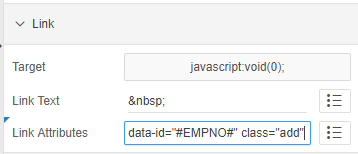
Then, go to the column of which you want to get the value in item and change it to link and set link attributes-


So here, I am trying to get the employee number.

That's it at report level, now move to dynamic action.

Create an Item, P2_ADD.

Create new DA, set to Click with jQuery selector-


Create True action >> Execute JavaScript code


Create True action >> Execute Server Side/plsql code
    pass null in body.
    Items to Submit --> :P_ITEM

$s('P34_MT_ID', $(this.triggeringElement).data('id'));

$(".my-report td[headers=my-id]").each(function(){
            $(this).closest('tr').removeClass('u-warningcustom');
            $(this).closest('tr').addClass('u-warningcustom1');
    });

$(this.triggeringElement).closest('tr').removeClass('u-warningcustom1');
$(this.triggeringElement).closest('tr').addClass('u-warningcustom');

Inline CSS-
.u-warningcustom td {
    background-color: #edfcef !important;
}
.u-warningcustom1 td {
    background-color: white !important;
}
                                                    
                                                    ✍ It's Done. ✌

Friday, December 8, 2017

Defining 12c IDENTITY Columns in Oracle SQL Developer Data Modeler

Defining Triggers and Sequences to populate identity columns in Oracle Database is no longer required. You have an Oracle Database 12c instance up and running, and you’re ready to hit the ground running.
Now How Do I Draw That Up in SQL Developer Data Modeler?
Draw your table. You’ll want a column. 

RELATIONAL MODEL, COLUMN PROPERTIES
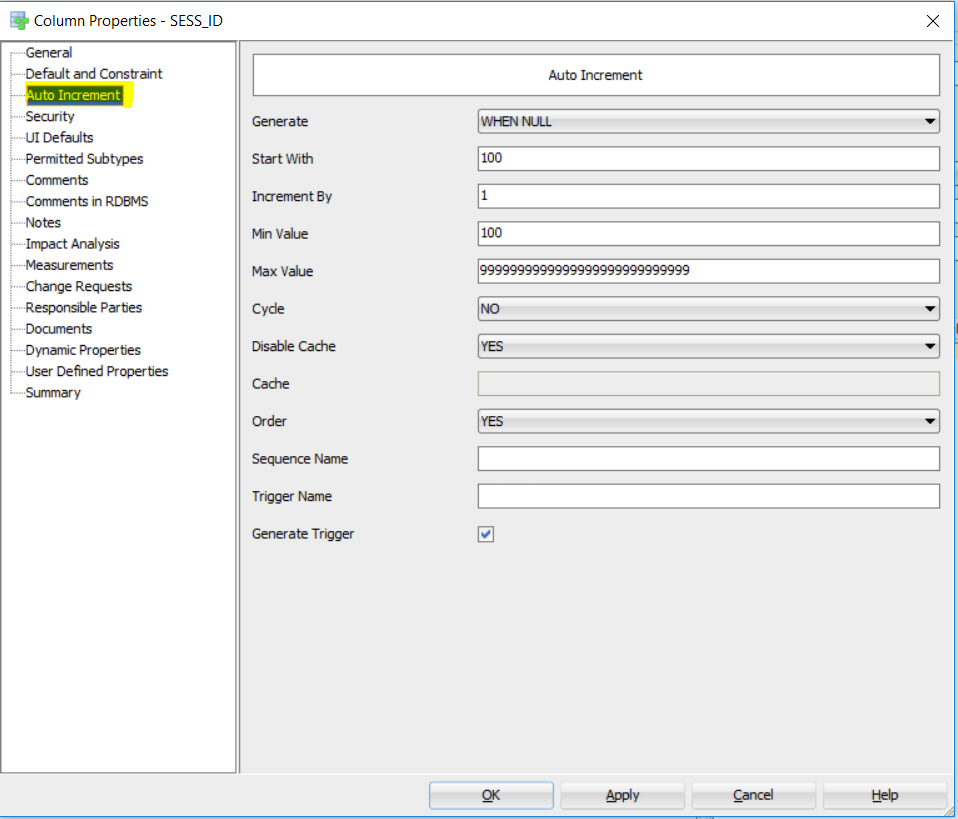
Ok, the Modeler now knows that this column is identifying, and that’s it’s going to be self-incrementing. Next we need to fill in the details.

MIN, MAX, INCREMENT BY, CACHE?

Last thing.

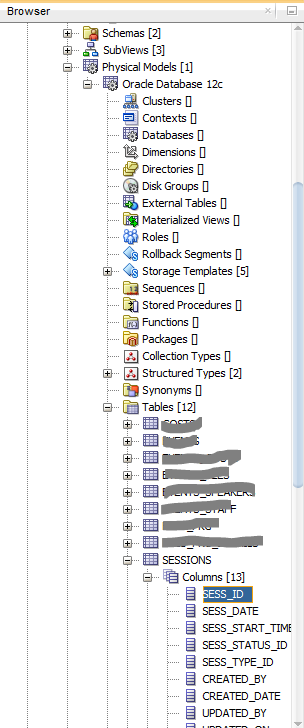
The modeler knows what you want to do with the column, but it doesn’t know what RDBMS features it has at its disposal. We need to go into the Physical Model level, ensuring we create a 12c physical model.

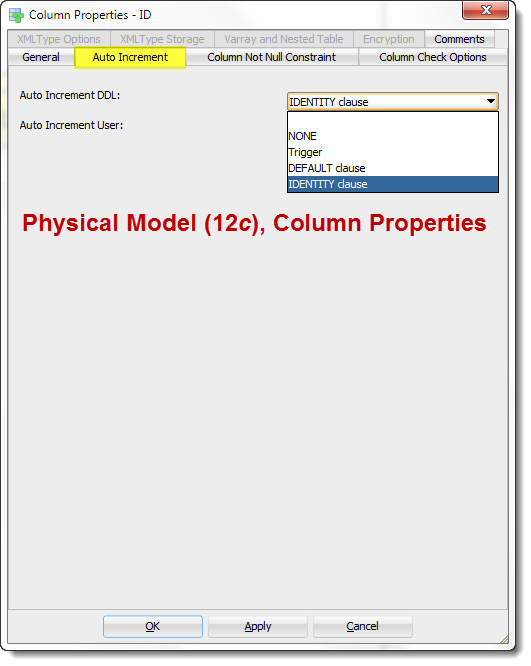
AFTER YOU’VE CREATED THE 12C PHYSICAL MODEL, GO TO THE TABLE, COLUMN AND ACCESS ITS PROPERTIES
You want the one that says 'Identity' :)
YOU WANT THE ONE THAT SAYS ‘IDENTITY’ ðŸ™‚

Here you go >>


THAT LOOKS RIGHT TO ME…

Tuesday, November 21, 2017

Oracle 12c and Interactive Grid Oracle Apex

To make Interactive Grid work smoothly using auto generate sequence feature of Oracle 12c, remove the Primary Key column or the column on which you have auto generate sequence from SQL query in Interactive Grid.
That's it!

To know how to generate Auto Sequence, click on below link
http://mythass.blogspot.my/2017/11/auto-generate-sequence-in-oracle-12c.html

I hope the above is useful to you.


Auto Generate Sequence in Oracle 12c

Oracle 12c - No need to create sequences.

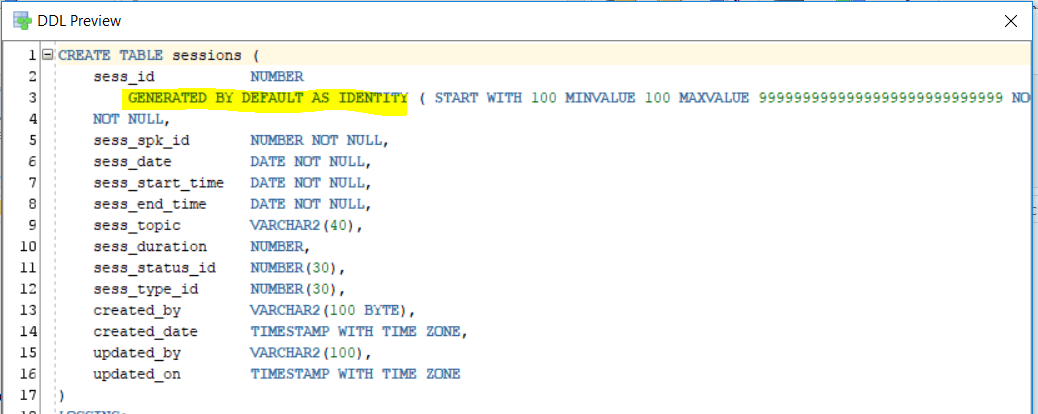
Use the below highlighted syntax to auto generate Sequences in Oracle 12c.

CREATE TABLE ABC (
    abc_id           NUMBER GENERATED BY DEFAULT AS IDENTITY NOT NULL,
    name             VARCHAR2(50)
)
ALTER TABLE ABC ADD CONSTRAINT abc_id_pk PRIMARY KEY ( abc_id );

Note: In case you are passing the value for primary key manually, Oracle won't generate the sequence for that transaction and will start from the same number where it left last time irrespective of manual insertion.

Tuesday, May 30, 2017

How to split comma separated string in new row using CONNECT BY and REGEXP?

SELECT REGEXP_SUBSTR('APPLE,BOB,CARS', '[^,]+', 1, LEVEL) FROM DUAL
CONNECT BY LEVEL <= REGEXP_COUNT('APPLE,BOB,CARS', '[^,]+', 1)


select * from
(select 'GIOVANNI COSTELLO' writer, 'RODRIGUEZ' author from dual) tt
where exists
(select * from (
select trim(REGEXP_SUBSTR(str, '[^,]+', 1, LEVEL)) as c1
from
(
select 'ARMIN RODRIGUEZ, GIOVANNI COSTELLO, RUBEN RODRIGUEZ ALARCON, RUEDIGER SKOCZOWSKY, XAVIER NAIDOO' as str
from dual) CONNECT BY LEVEL <= REGEXP_COUNT(str, '[^,]+', 1)
) where c1 = tt.writer);

select regexp_substr('abc:xyz:abc:pqr:xyz','[^:]+',1, level) str from dual
connect by level <= regexp_count('abc:xyz:abc:pqr:xyz','[^:]+', 1)